
Checked November 1, 2026
Getting Started: Train, Mine, Cut and Sell
Follow the mining loop and recognize the return, cutting and selling controls.
Browse by task
Quick answer
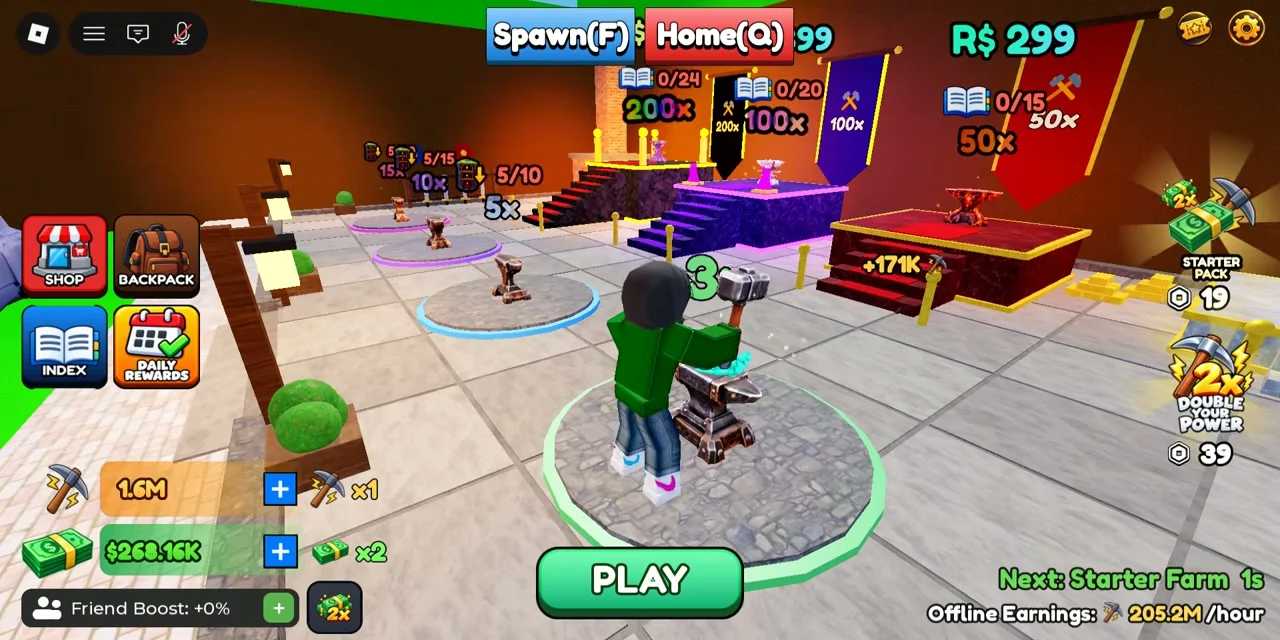
The developer identifies anvils as the source of Power. The reviewed recording shows a training hall with progressively stronger stations and a PLAY control when the player stands on a station. Check the station requirement before moving up.
Read the guide
4 sections§1. Build Power at the training area#
The developer identifies anvils as the source of Power. The reviewed recording shows a training hall with progressively stronger stations and a PLAY control when the player stands on a station. Check the station requirement before moving up.
Begin with a station you can use. Watch the Power counter while training, then return to the mine to test the next floor. Some stations display a Robux option alongside progression information; read the purchase prompt before confirming.
The reviewed training hall displays 5x, 10x, 15x, 50x, 100x and 200x station labels. Some show Index progress requirements such as 0/15 and a Robux option. These are visible station labels, not a verified table of Power gained per second. Check the book counter and the question or purchase prompt before choosing a station.
§2. Break a floor and collect a rock#
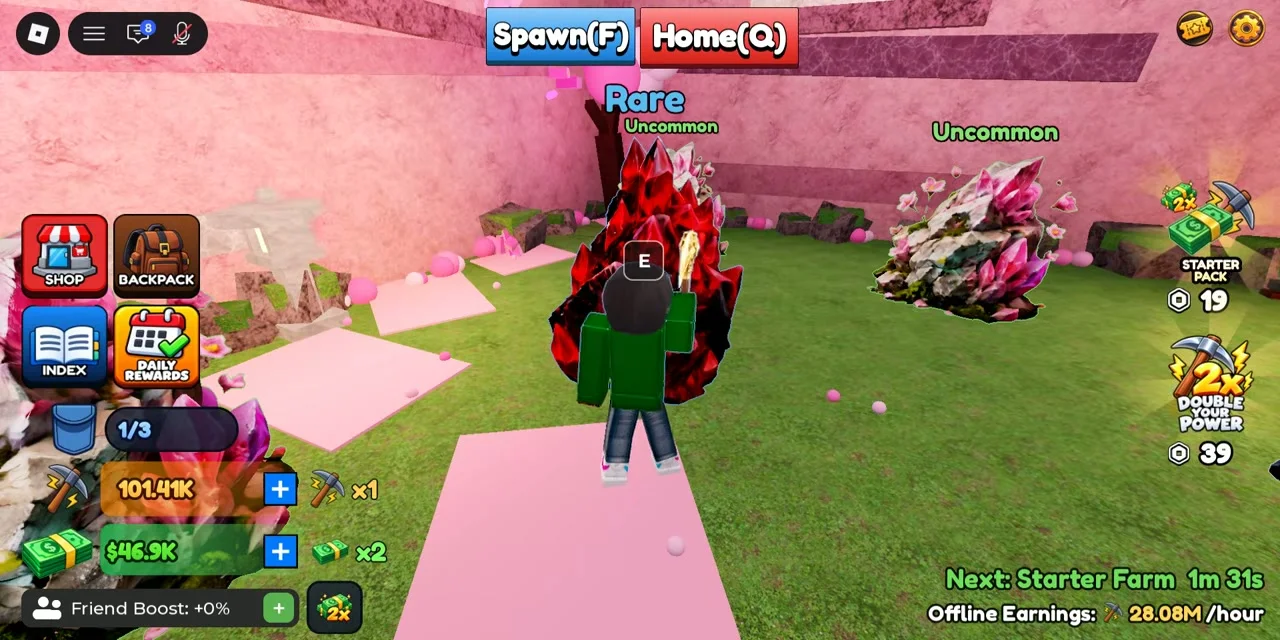
Floor panels show a durability bar and the rock types available in that room. Use your equipped pickaxe on the floor and watch the bar decrease. Once the room is accessible, approach a rock and use its interaction prompt.
In the recording the PC pickup prompt is E, and the blue bag counter changes when a rock is collected. A full bag limits the next collection trip. Use the current device prompt if it differs from the PC footage.
§3. Return home and load a cutting machine#
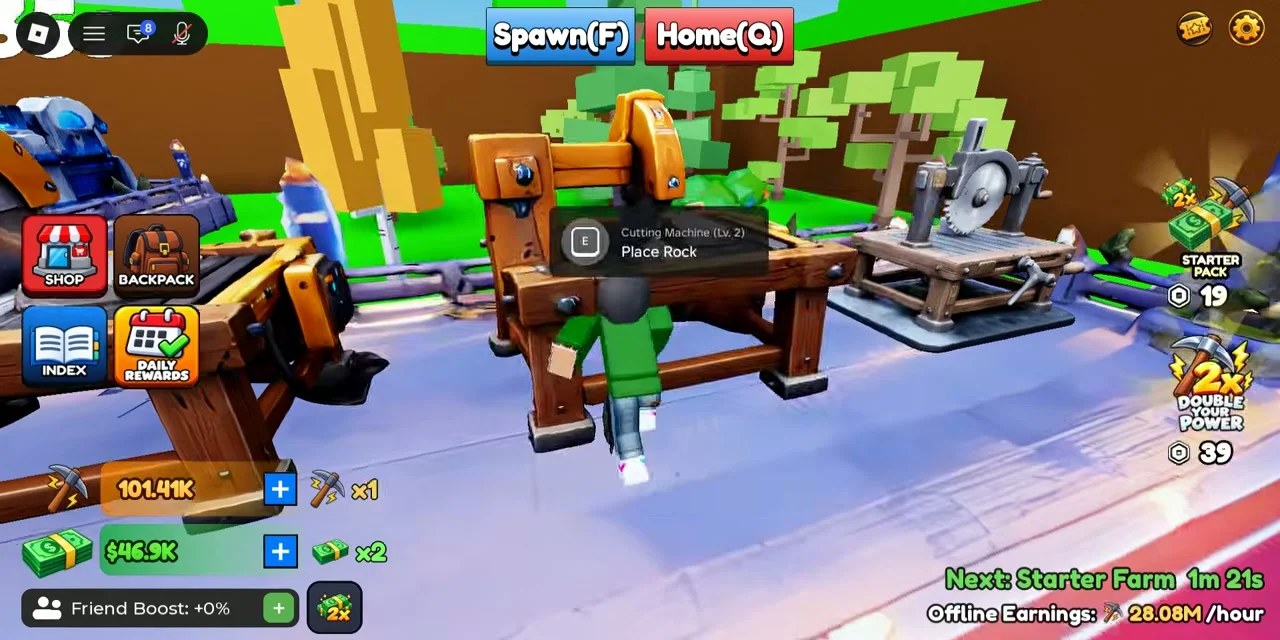
Home (Q) appears at the top of the recorded PC interface, beside Spawn (F). At the machine, the prompt changes to Place Rock when it is available. Load a collected rock and let the cutting timer run.
A machine that is still cutting shows a countdown. A completed machine shows Ready! with an interaction prompt. Collect its result before trying to start the next cycle.
§4. Sell materials and choose the next upgrade#
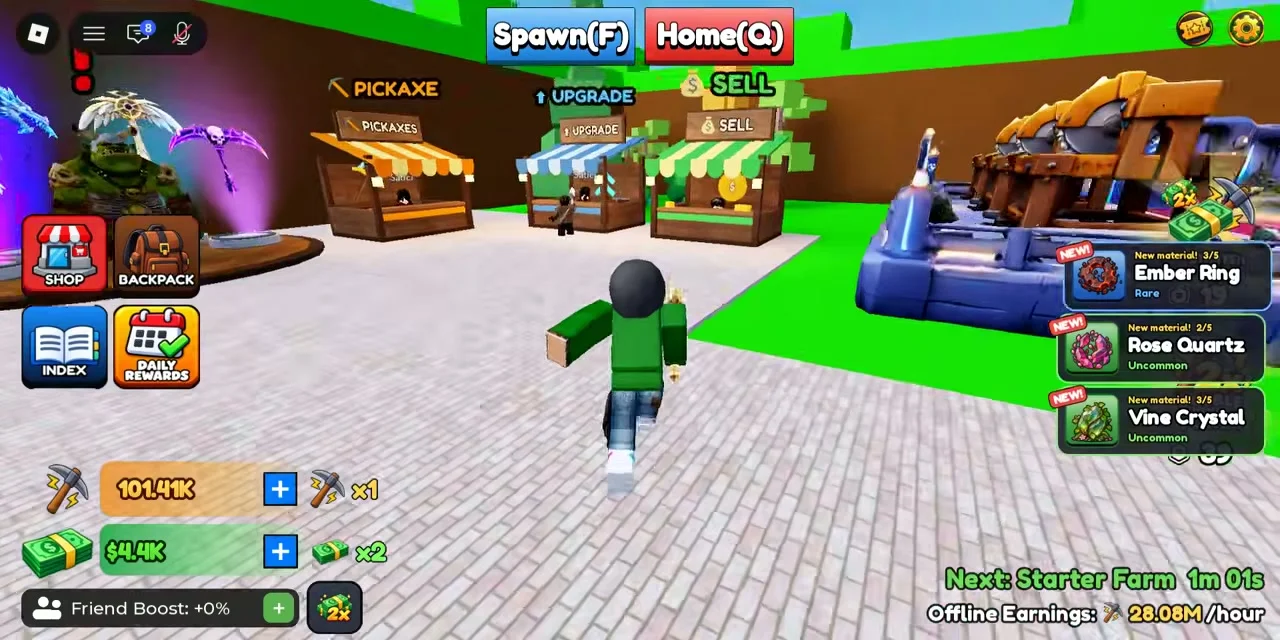
The home area has separate PICKAXE, UPGRADE and SELL stalls. The developer confirms that selling finds funds machine upgrades. After collecting a cut result, visit SELL and inspect the current sale options.
The reviewed frame locates the stall but does not show every sale-menu choice. Check the item and proceeds before confirming. Use the upgrade guides to choose between faster processing, more carrying space and stronger mining equipment.
Questions and answers
What should I do when my bag is full?
Return home, load available cutters and collect finished materials. Once space is free, return to mining. Consider Pocket if repeated trips limit your progress.
Why is a machine not ready for another rock?
A countdown means it is still cutting. Ready! means its result can be collected. Check the prompt and collect the previous result before loading again.
Scope and sources
Checked November 1, 2026.
- Recorded gameplay is community footage. Menus, prices and rewards may change. This site does not claim personal playtesting.